

Building Surveying Management Software
Building Surveyor CRM and Practice Management Software for Surveying and Valuation Teams
Blue Wren’s Flight is a bespoke building surveying and valuation software that helps chartered surveyors manage instructions and invoices, schedule inspections, produce compliant survey reports, and track fees. It is built entirely around your existing building surveying, valuation and specialist property workflows.
Who is Flight for?
Practice Principals:
Firm leaders needing real-time visibility across all active building surveying software instructions without increasing administrative headcount.
Field Surveyors:
Remote staff who require a unified system to access site details, log condition data and review previously completed building survey reports.
Valuation & Advisory Professionals:
Specialists demanding structured frameworks to manage comparables, complex instructions (such as lease extensions and collective enfranchisement), and accurate fee proposals across residential, Help to Buy, probate, shared equity, Right to Acquire, expert witness, and Red Book valuations.
Operations Managers:
Administrators wanting to replace disconnected spreadsheets, eliminate double-booked equipment and centralise their building surveying and property practice data.
What Problems Do Building Surveying and Valuation Firms Face Without Specialist Software?
Report types in separate systems: HomeBuyer Reports, Building Surveys, and Red Book valuations sit in different places, so nobody has one view of every job.
Jobs fall through at handover: Details regarding enquiries, instructions, site visits, and reports get lost when sending emails.
No defensible audit trail: Home Survey Standard and Red Book reports carry PI exposure, and without a single file history, a challenged report is hard to defend.
Outgrowing single-purpose tools: Lead-capture and booking apps work for one survey type. Once a practice expands, they stop covering the whole business.
Every practice is different…
That’s why Flight is configured around how your firm runs building surveying and valuation work. We map your report types, your fee structure, and your compliance needs, then build the system to match.
How to Manage Building Survey and Valuation Enquiries?
- Qualify incoming leads: Automatically log property details, requested building survey or specialist valuation types (including Help to Buy, probate, or lease extension instructions) and target deadlines the moment an enquiry arrives.
- Issue quotes fast: Build accurate quotes and valuation terms instantly using your firm’s pre-approved service and pricing templates.
- Centralise client communications: Connect inbound and outbound emails directly to the instruction file so the whole team maintains visibility.
- Monitor pipeline progression: Review your active instructions by workflow stage, projected value, and individual surveyor workload in one dashboard.

How to Schedule Inspections Without Surveyor Clashes?
- Assign the right surveyor: Schedule site visits by specific qualification, RICS registration, and real-time availability.
- Complete Schedule Visibility: See every surveyor’s booked jobs, valuations, and site visits in a single calendar.
- Monitor active work in progress: View all active instructions and upcoming site visit dates on one centralised screen.
- Automate essential reminders: Trigger internal task prompts and client notifications automatically as inspection dates approach.

How to Standardise HomeBuyer and Building Survey Reports?
- Consistent structure: Build your practice’s approved templates for HomeBuyer Reports, Building Surveys, Red Book valuations, and specialist property work like ease extensions, collective enfranchisement, Help to Buy, probate, shared equity, Right to Acquire, and expert witness valuations.
- Pre-defined clauses: Store your standard methodology and terms, then tailor each report with property and client details.
- Photo and defect marking: Pin inspection photos, site notes, and observed defects to the relevant section of each report.
- Integrated workflow: Trigger invoicing, timesheets, and client updates automatically on report completion.

How to Track Instructions and Keep a Full Compliance Record?
- Deadline alerts: Get automatic notifications as report and valuation target dates approach.
- Compliance audit trail: Every file note, decision, and sign-off is timestamped for a full record if a report is challenged.
- Outstanding job view: See open instructions, their status, and who owns the next step.
- RICS file storage: Surveys, terms, valuations, and evidence held securely against each instruction.

How to Track Fees, Time, and Profitability Across Survey Types?
- Multiple fee structures: Cost, fixed-fee, valuation, and day-rate work accurately per job.
- Time capture: Record surveyor time per instruction, with reminders to log before invoicing.
- Profitability by type: See which survey and valuation work makes margin across the practice.
- Margin alerts: Know the moment a job risks running over budget before it does.

How to Keep Clients, Agents, and Solicitors Updated?
- CRM built for referrals: Track agents, lenders, and solicitors as introducers, and see which sources convert.
- 360° client history: Every property, job, and communication against a client record.
- AML and ID checks: Collect and store client documents per job, with automated reminders.
- Secure file sharing: Deliver reports and evidence to clients and third parties safely.

Which Systems Does Building Surveying and Valuation Software Integrate With?
- Accounts: Data flows automatically between Flight and Xero, QuickBooks, Sage, or FreeAgent.
- Microsoft 365: Manage documents, email, and calendars inside your existing Microsoft environment.
- Lead capture: Connect website enquiry forms directly to your pipeline.
- RESTful API: A fully documented API links Flight to any other property platform you rely on.

Is Building Surveying and Valuation Software from Flight Secure and Compliant?
Yes, Flight is fully GDPR-compliant and secure. Building surveying and valuation firms hold sensitive client data, property records, and AML documentation.
Our security framework includes:
- Private cloud environments: Every Flight system runs in its own virtual private cloud on AWS; client setups are never shared.
- UK/Ireland data residency: All data held securely in London and Dublin.
- DPIA support: Every installation includes a full Data Protection Impact Assessment.
- Managed hosting: Blue Wren handles infrastructure, security, and maintenance in your licence fee.

What Makes Bespoke Building Surveying and Valuation Software Different from Generic Tools?
Generic booking and lead apps help practices handling one type of survey. Report-writing tools can help produce reports, but they do not manage the wider business.
Flight is built around your complete workflow.

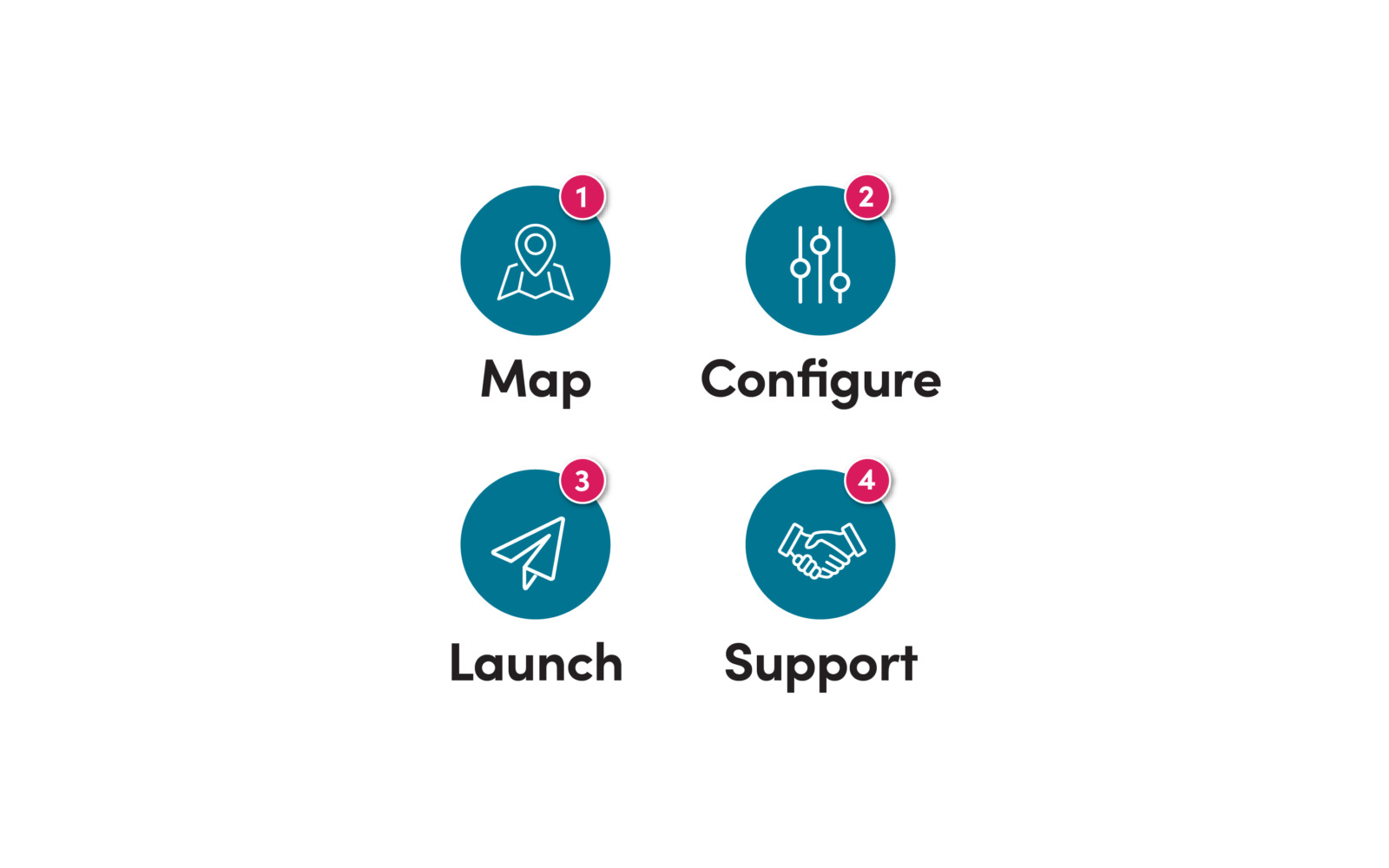
Our 4-Step Implementation Process
We do the heavy lifting so you can run your business.
- Map: We meet to understand your survey mix, processes, and compliance needs and produce a Flight spec sheet.
- Configure: We build your Flight system to spec, and you test it before anything goes live.
- Launch: We migrate your data and launch. Typically ready in weeks, not months.
- Support: Our UK team provides ongoing support, training, and changes, all inside your monthly fee.
Take control. Take Flight.
CUSTOMER STORY
Streamlined project management and less admin with Flight
Murton & Co is a specialist energy efficiency consultancy with over 20 years of experience in energy assessments, property plans, and regulatory compliance. When WorkflowMax was discontinued, they needed a replacement that could manage complex projects, multiple contacts and properties, while integrating seamlessly with Xero.
Blue Wren configured Flight around Murton & Co’s project workflow, bringing enquiries, quotes, scheduling, delivery, invoicing, contact management, and automated communications into one centralised system.
- 40% Reduction in Admin Time: Automated and centralised workflows freed up more time for client work.
- 90% Less Duplicate Data Entry: Xero integration removed repetitive data entry and kept financial information connected.
- 25–35% Faster Job Progression: Clear workflows moved jobs faster from enquiry through to scheduling.